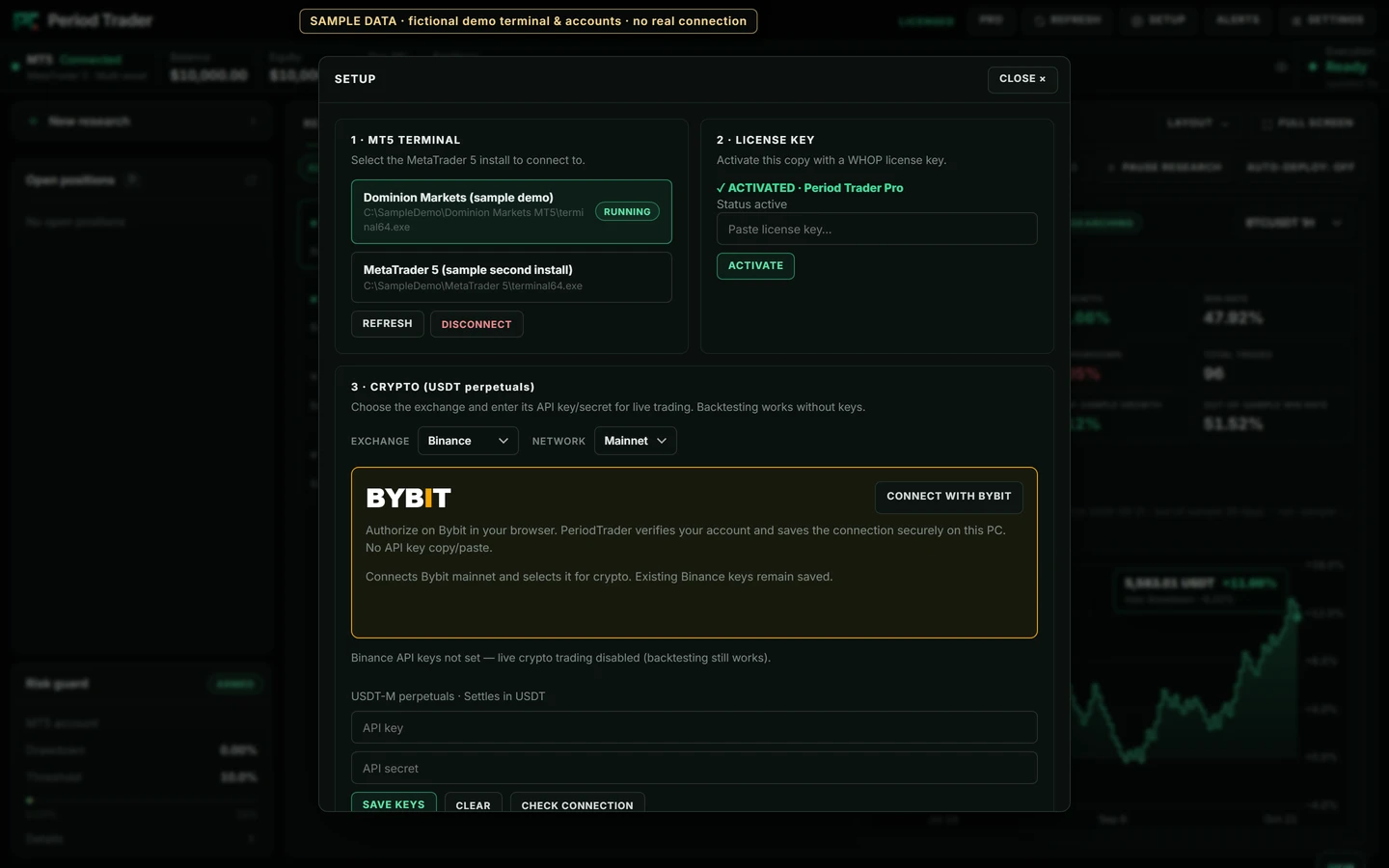
A desktop terminal, browser authorization or manual API credentials. Choose your venue to see the right setup path—without connecting anything here.
Dominion Markets / Installed MT5 terminal
Connect through your desktop terminal.
01
Install and open your broker’s MetaTrader 5 terminal.
02
Log in to the intended trading account in that terminal.
03
In Period Trader Setup, select the terminal and check the connection.
Dominion Markets is shown as a broker setup example. Its logo does not imply an affiliation or endorsement. The terminal must be installed, open and logged in.
Open the setup guideNative desktop view · sample data · interface shown in English
DESKTOP SETUP, NOT A WEB KEY FORM
No credentials belong on this website.
Connection details are entered in the installed desktop app or the venue’s own authorization page. No exchange API, OAuth or account call runs from this page. Compatibility with MetaTrader 5, Binance, OKX and MEXC does not imply affiliation or endorsement.
 Period Trader